Dear Player,
We have compiled a list of frequently asked questions and answers to help with any problems you might have with using the QR Code Authorized Login feature. Please refer to them below:
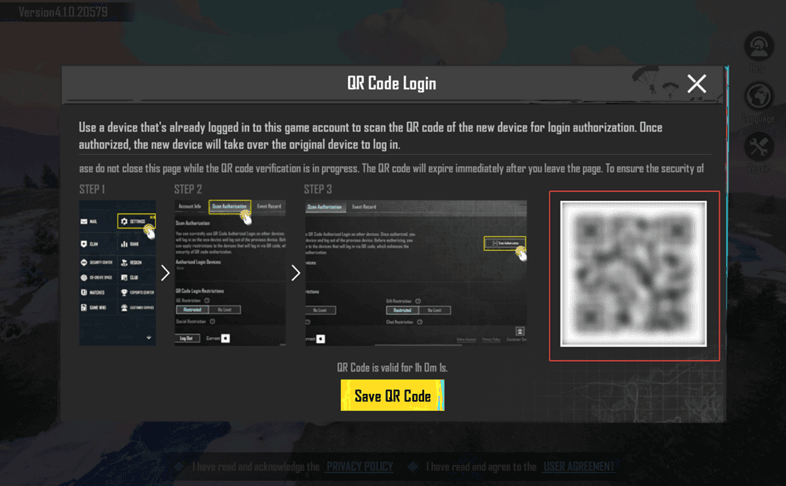
Q: How do I scan for authorization?
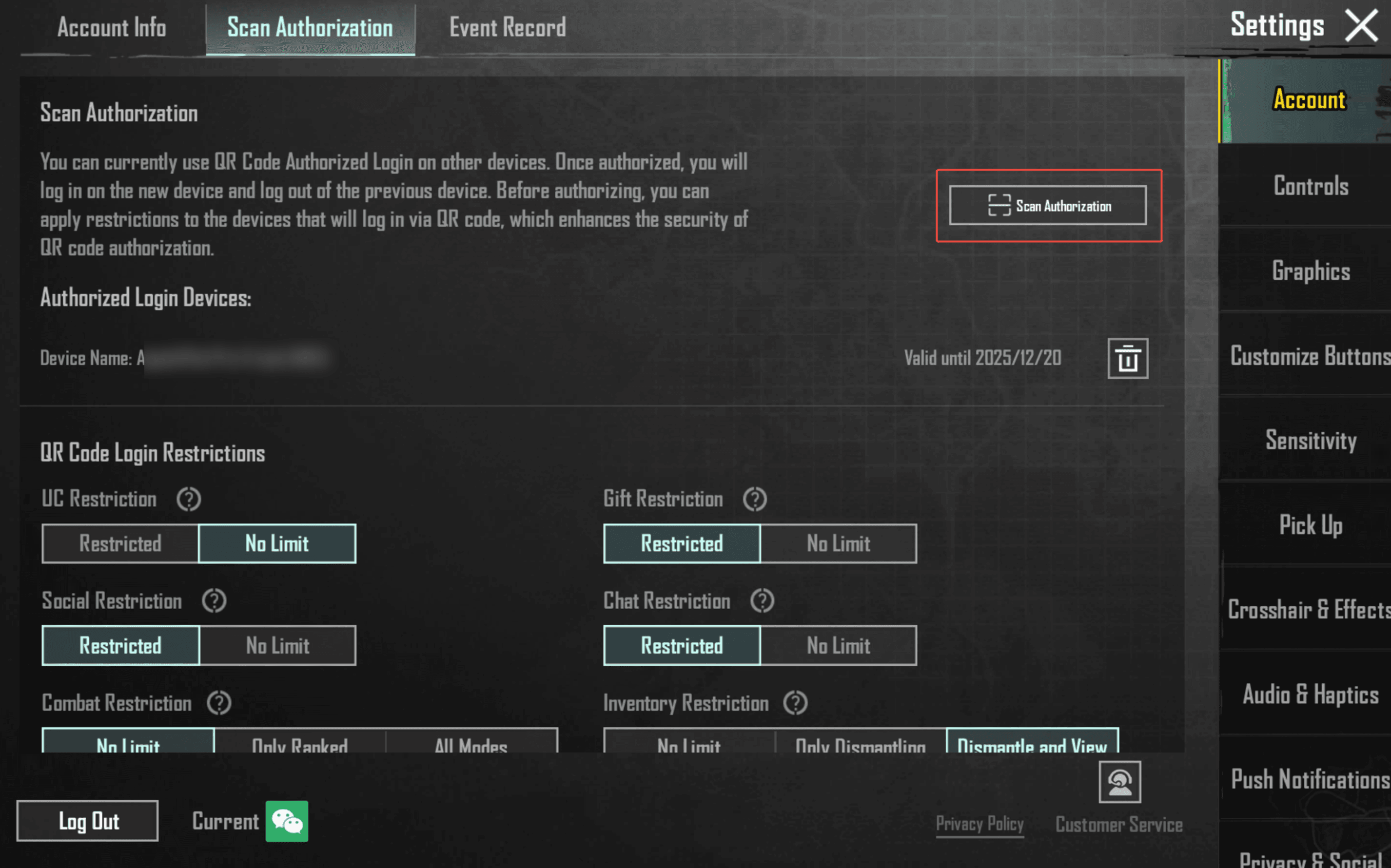
A: After logging in to the game, the "Authorized Device" can go to Settings - Account - Scan Authorization - QR Code Recognition to authorize another device.
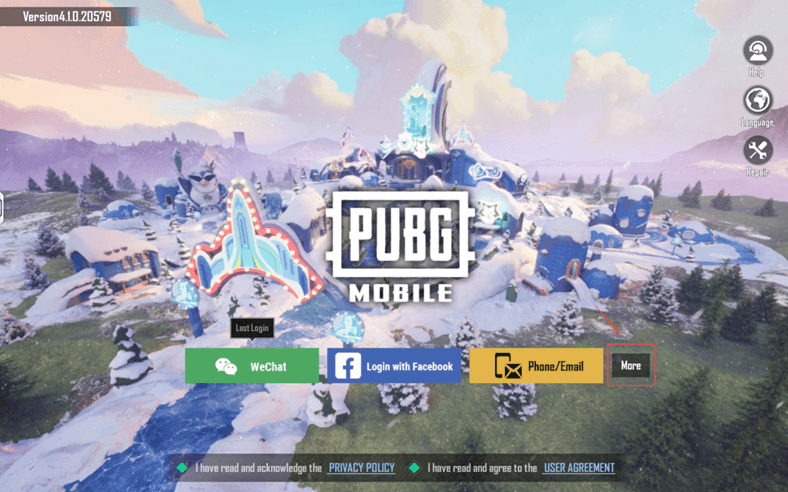
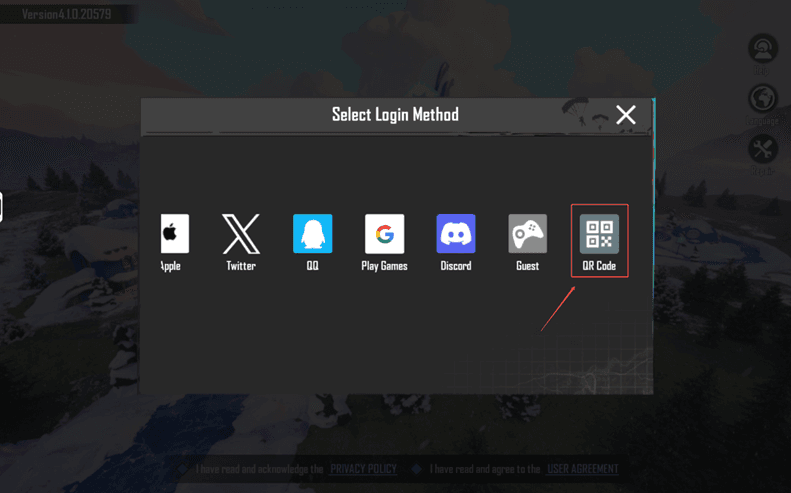
On your second device, tap More - QR Code to generate a QR code. Once authorized, you will be logged out of your account on your original device.
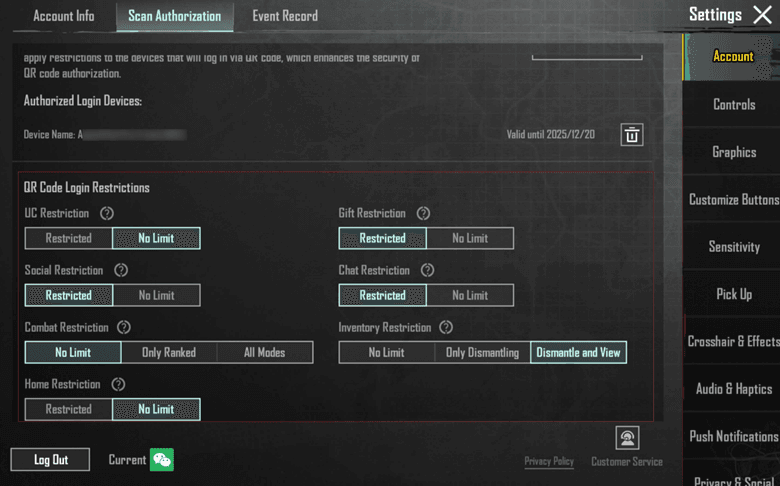
Q: How do I enable feature restrictions for authorized devices using the Authorized Login feature?
A: Tap Settings → Account → Scan Authorization to go to the QR Code Recognition page. On the "Authorized Login Restrictions" interface, you can set usage restrictions for authorized logins, such as for UC, social, or battle functions.
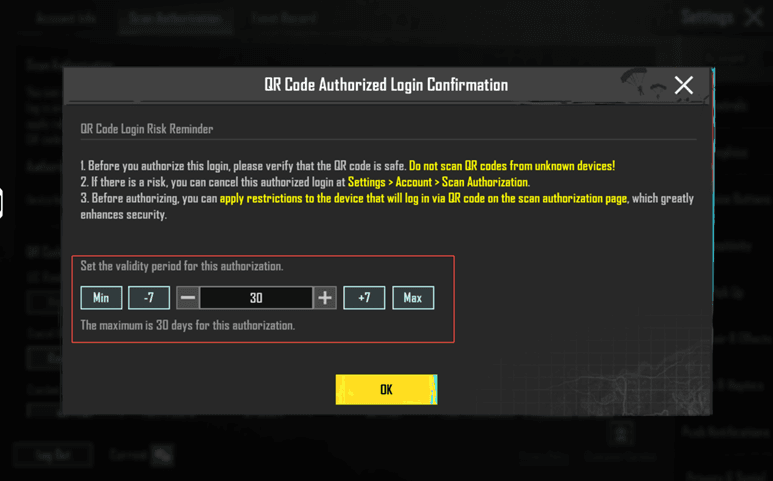
Q: How long does the login authorization last?
A: Devices can be authorized via QR code for up to 30 days at a time. During this period, you can manage authorized devices yourself.
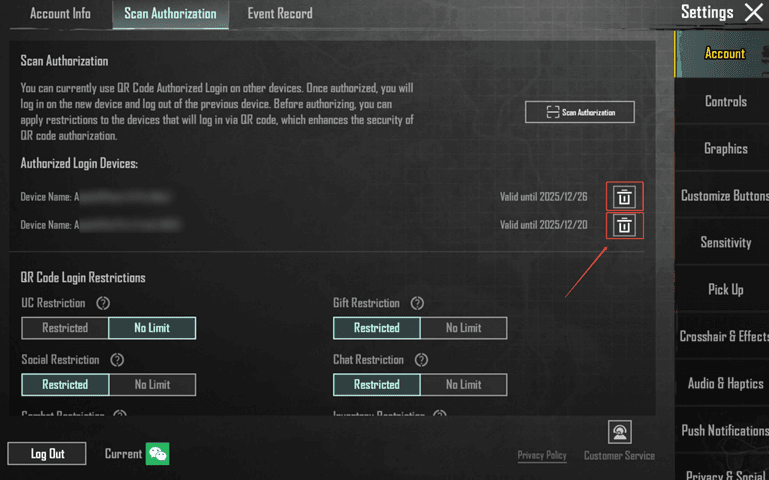
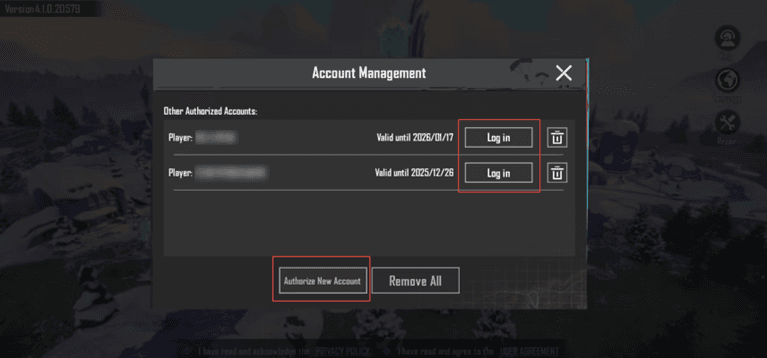
Q: How do I log in to an authorized account without scanning the QR code again? How do I add a new account?
A: For accounts that have been authorized and are within the authorization period, you can tap "QR Code" in the login channel to log in. If you need to add a new authorized account, tap "Add New Account" below to proceed with QR code authorized login.